
Consolidating REST API Response via Data Stitch

There can be a business scenario in which the Source System will send multiple records and is expecting consolidated response of all the records but the Target System can only process one record at a time.
The above use case can be achieved by leveraging the Data Stitch activity present in OIC.
Before we begin let us define the Req/Res parameters
Request Payload of Target System API
{
"ID":"String"
}
Response Payload of Target System API
{
"ID": "String",
"Reference":"String"
}
Request Payload Sent by Source System
{
  "Request": [
    {
      "ID": "String"
    },
    {
      "ID": "String"
    },
    {
      "ID": "String"
    }
  ]
}
Response Payload Received by Source System
{
  "Request": [
    {
      "ID": "String",
      "Ref": "String"
    },
    {
      "ID": "String",
      "Ref": "String"
    },
    {
      "ID": "String",
      "Ref": "String"
    }
  ]
}
Now Lets begin with Integration
Step1: Create an App Driven Integration and name it ‘BatchAPI’

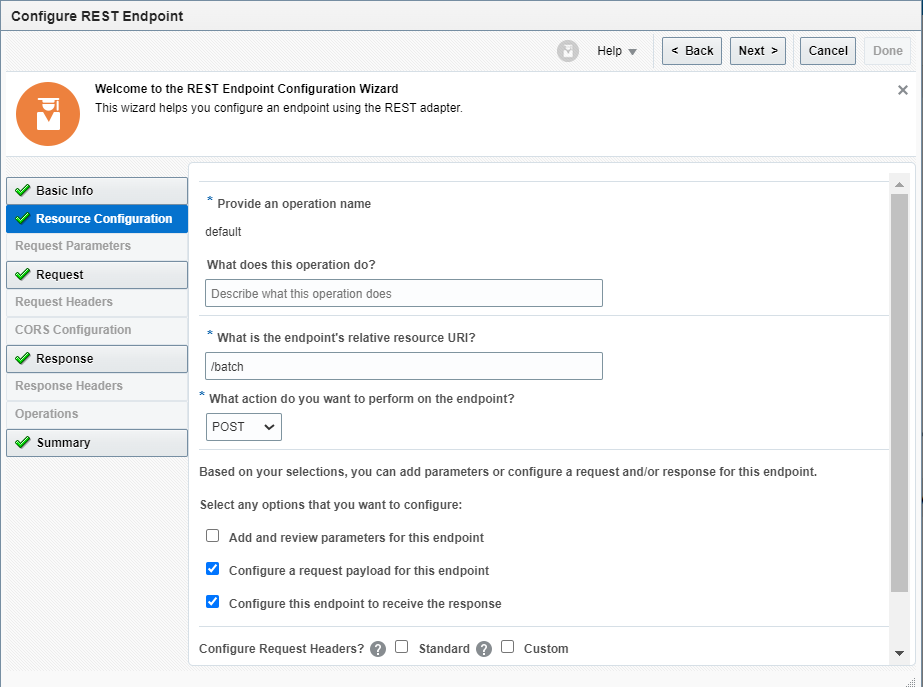
Step2: Add a REST Adapter as the trigger and configure it as below
Step3: Add the Sample Req/Res payload
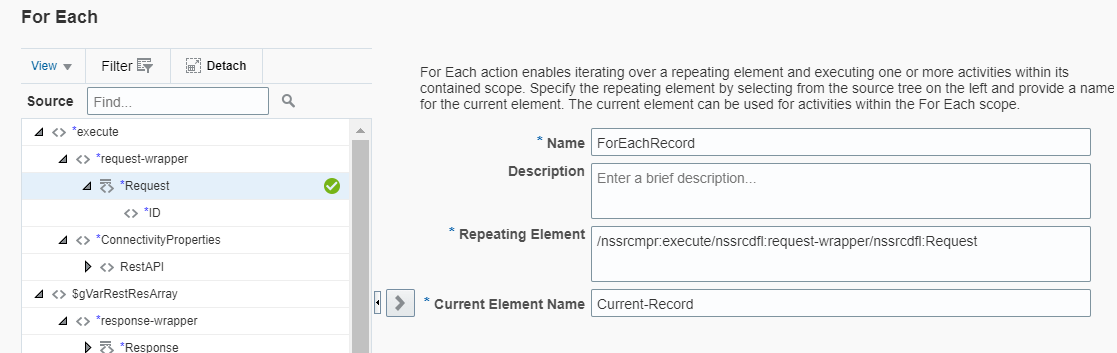
Step4: Add a For-Each activity and Configure it as below
Step5: Add the REST Adapter for your Target Application and Map the Required Fields
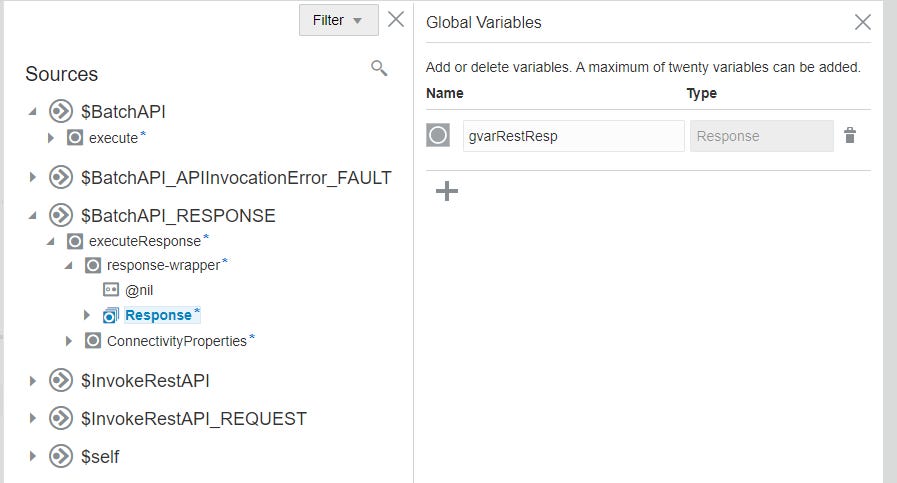
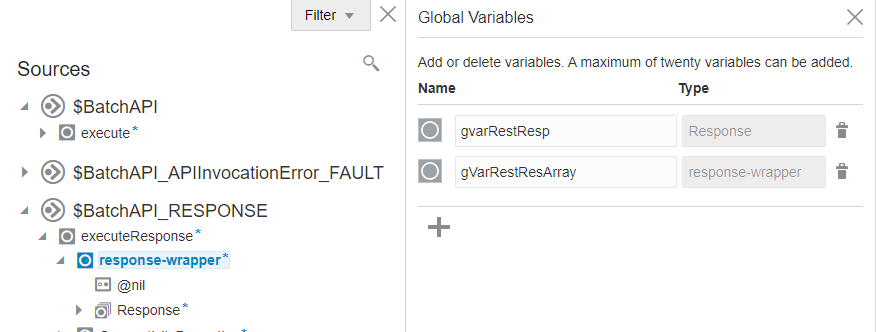
Step6: Create two Global Variables
gvarRestResp: With the Type ‘Object’ and Structure as the individual record structure of the Integration Response
gVarRestResArray: With the Type ‘Object’ and Structure as the parent non-repeating element ‘response-wrapper’.
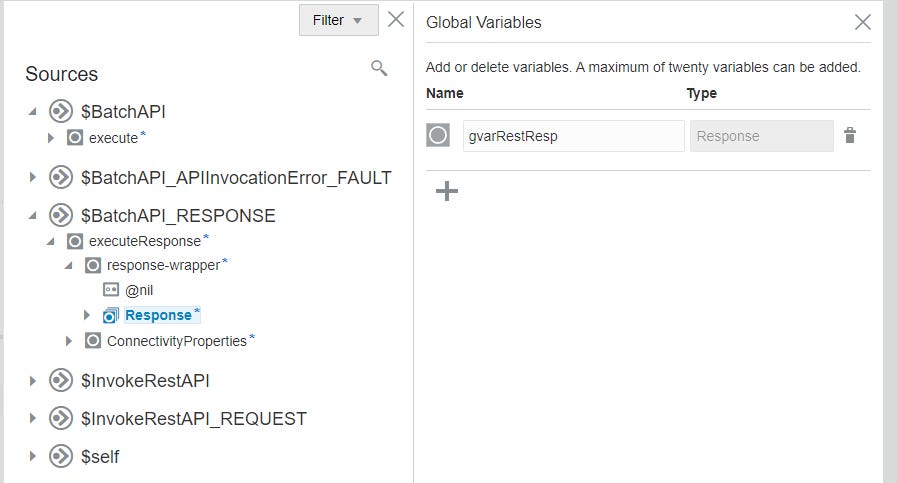
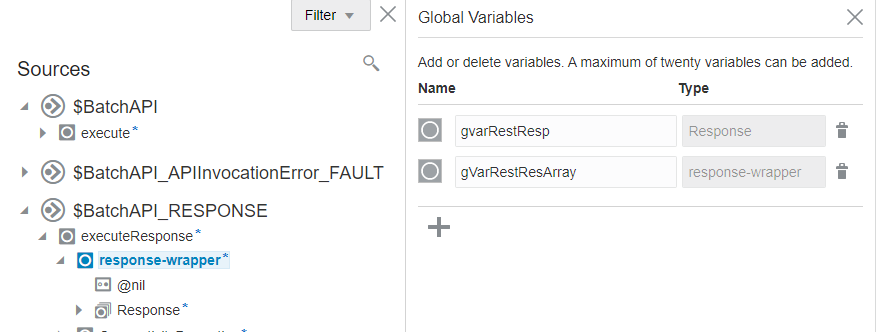
Step7: Now add a Data Stitch Activity after the Target System REST Adapter.
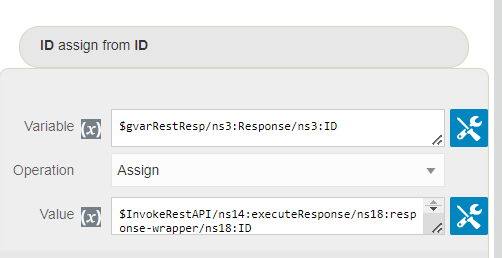
Assign the data received for ‘ID’ from the REST API Call to the the ‘ID’ field of gvarRestResp .
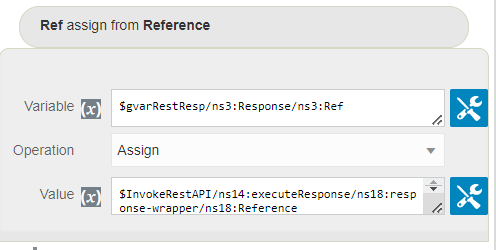
Assign the data received for ‘Reference’ from the REST API Call to the ‘Ref’ field of gvarRestResp.
Now Append the data that you have in the gvarRestResp variable to the ‘Response’ element of gVarRestResArray
.
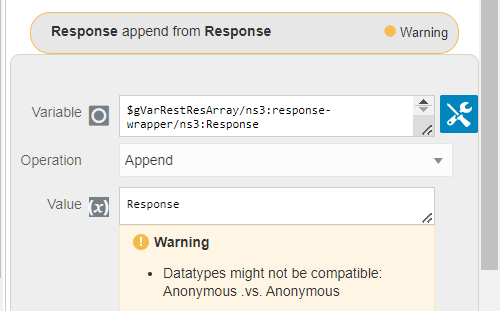
What we are doing is that first we are assigning the response received from the REST API to the variable gvarRestResp then we are appending the gvarRestResp to the gVarRestResArray.
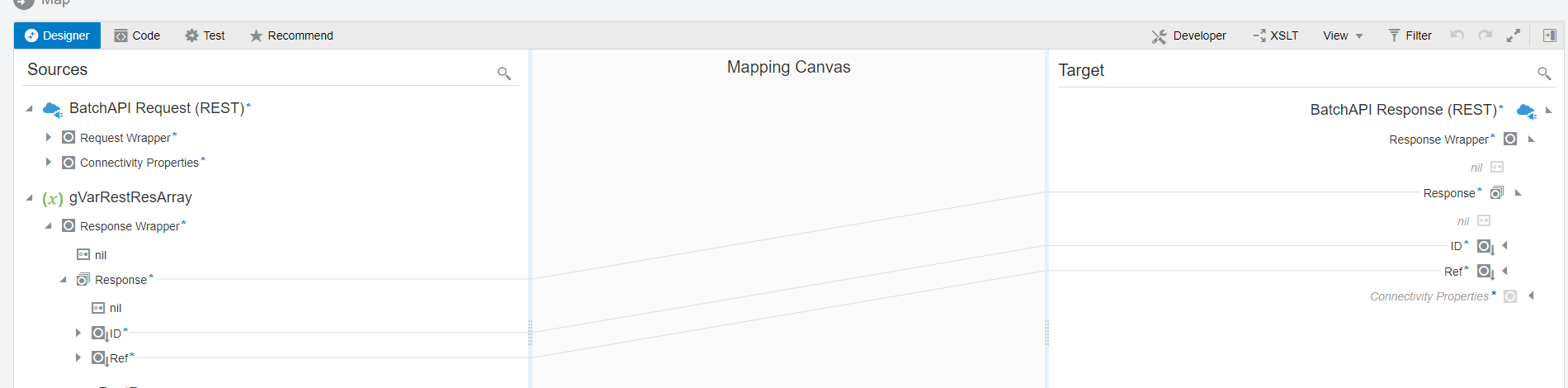
Step8: Now map the required fields as show below
Your Integration should look like below

Save and Activate.
Now Let’s test it
Request Sent to Integration
{
  "Request": [{
    "ID": "1"
  }, {
    "ID": "2"
  }, {
    "ID": "3"
  }]
}
Request Sent to Target System
{"ID": "1"}{"ID": "2"}{"ID": "3"}Response Received from Target System
{"ID": "1" , "Reference": "1-36343834363337393939323334383731"}{"ID": "2" , "Reference": "2-34303236363938383033343739303736"}{"ID": "3" , "Reference": "3-2d363339363231313233333232393936"}Consolidate Response Sent back to the Source System
{
  "Response" : [ {
    "ID" : "1",
    "Ref" : "1-36343834363337393939323334383731"
  }, {
    "ID" : "2",
    "Ref" : "2-34303236363938383033343739303736"
  }, {
    "ID" : "3",
    "Ref" : "3-2d363339363231313233333232393936"
  } ]
}