
Invoking an OIC Integration from Fusion OTBI

There can be business scenario where Business User needs a massaged data from two systems: Oracle Fusion and Third Party Application.
As all the data does not reside in Oracle Fusion Cloud hence a standard reporting approach will not work.
So the Solution to this will be to create a OTBI Report that will call OIC Integration and the data enrichment and massage of two system happens there. OIC also takes care of sending it as an email attachment.
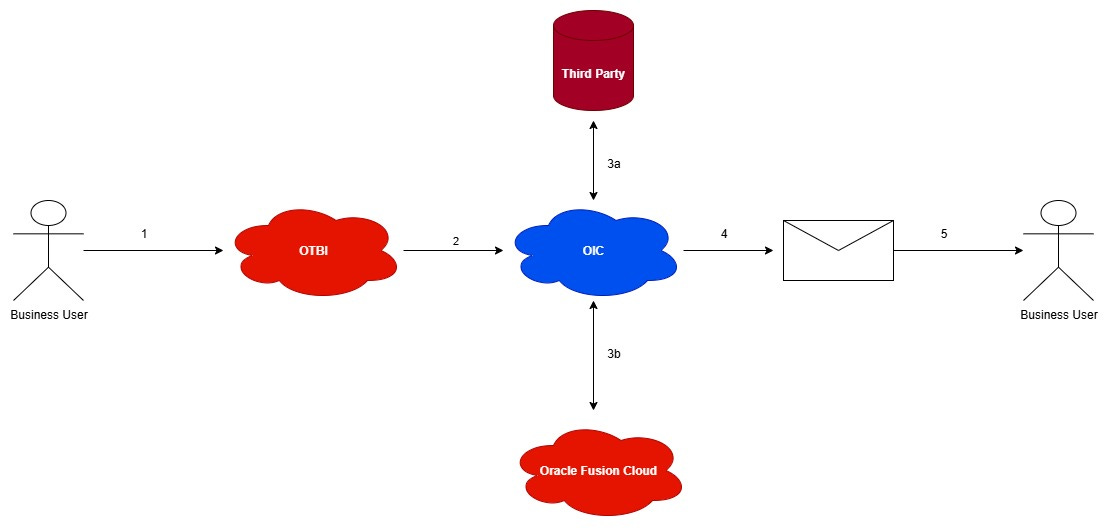
In this blog I will show you how you can invoke an OIC Integration from OTBI.
Step1: Go to Tools—>Reports and Analytics—>Browse Catalog
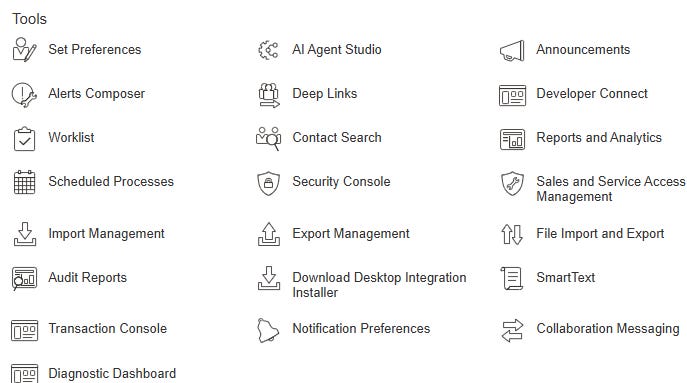
Step2: Go to Administration page and click on Manage Publisher

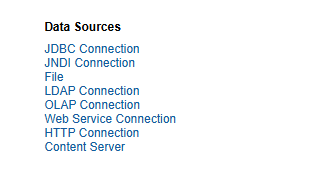
Step3: Click on HTTP Connection
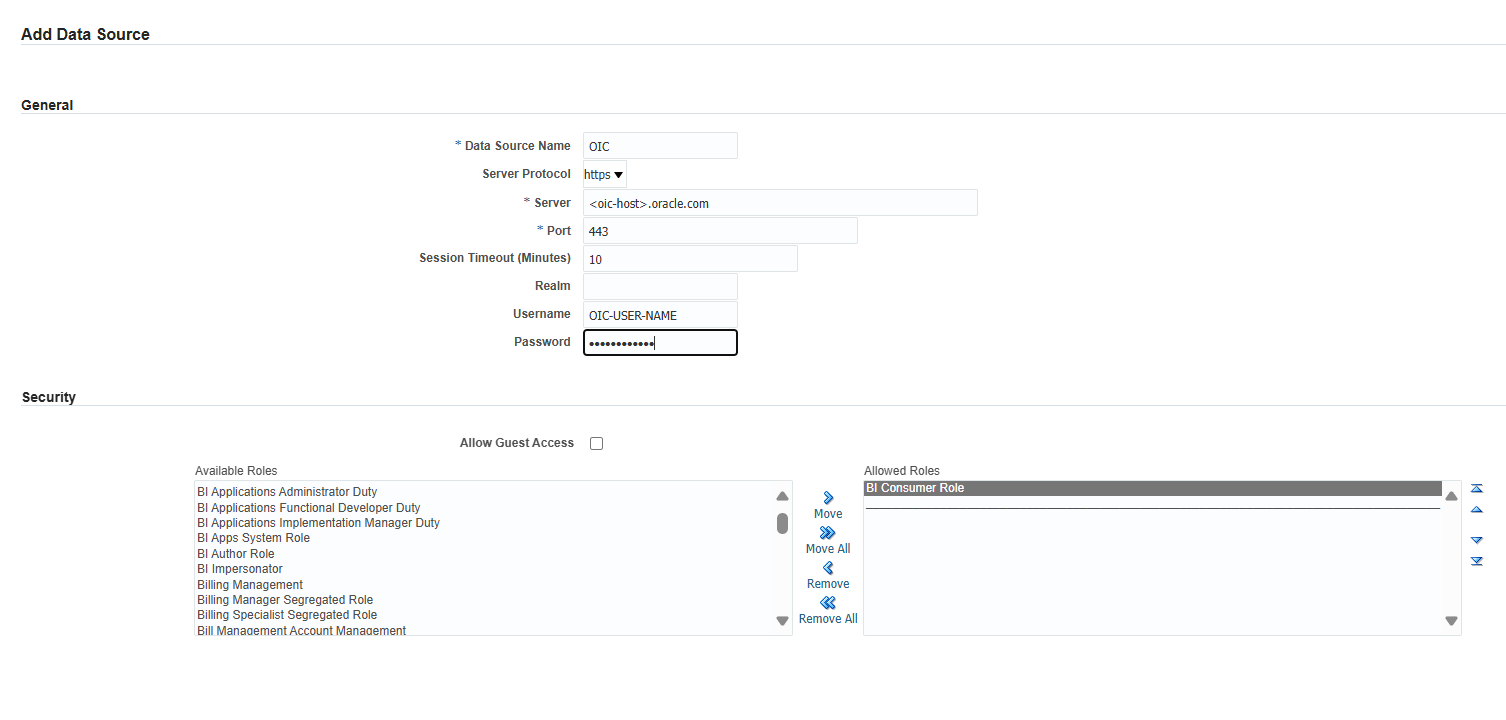
Step4: Add data source and configure the data source as shown below, add the BI Consumer Role, this is necessary for Users to invoke BI Reports that uses this Data Source
Step5: Add two parameters that the business user will pass
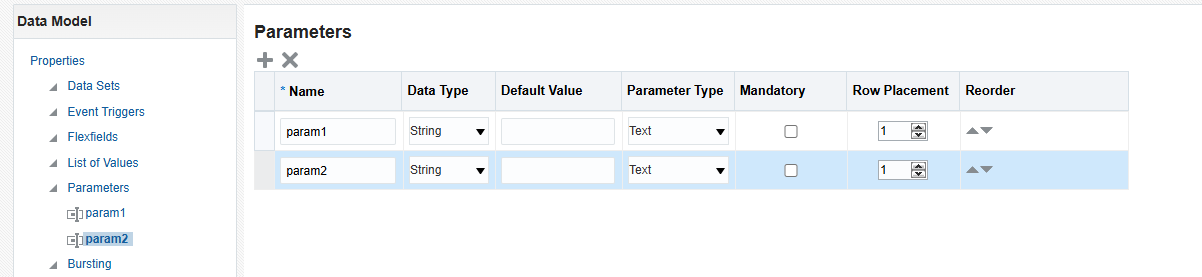
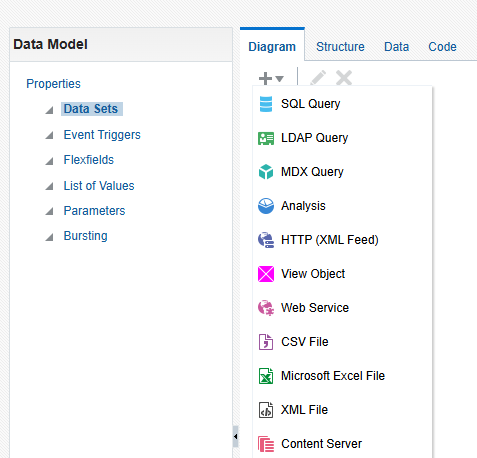
Step6: Create Data Model and add an HTTP (XML Feed) data set.
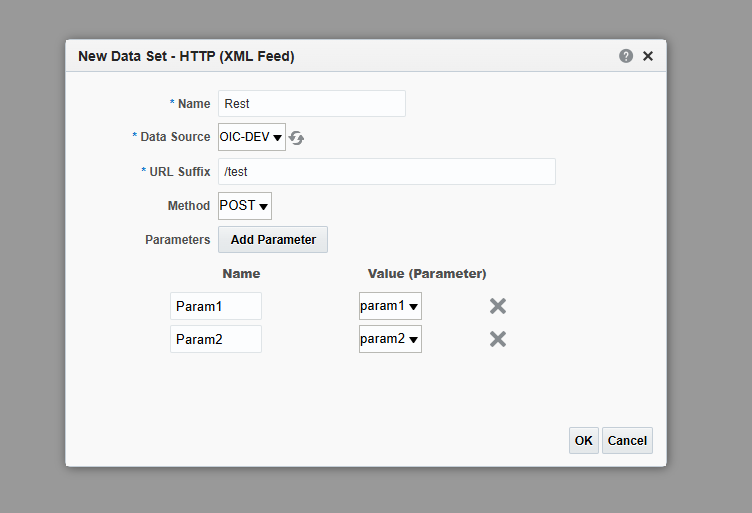
Step7: In Data Set select the Data Source Name and provide the Resource path of the OIC integration you want to call. Select the method (Only GET and POST are supported). Add the parameters and map it to OIC request parameters.
Step8: Input the parameters and click on View this will invoke the OIC Integration. Click on Save As Sample Data and Create a BI Report on top of this Data Model.
The Business user will use this BI Report to get consolidated data of two systems in their email.
